Milky Way Planning with Interactive Maps, Calendars, and Light Pollution Data
Milky Way Planner has a new design, interactive maps, and a 2026 visibility calendar for 31 locations worldwide. Light pollution overlays and dark sky parks coming soon.
I've been spending the last few weeks rebuilding Milky Way Planner. There's now a new design, new tools, and a bunch of improvements that I think make the whole astrophotography planning experience a lot better.
A Fresh Look
The first thing you'll notice is that the site looks different. I redesigned the whole thing with a cleaner layout, faster page loads, responsive images that scale properly on any screen size. It feels like a real planning tool now, not something I cobbled together in a weekend (even though that's how it started).
The navigation actually works the way you'd expect. Pages load without breaking, etc. These are small things, but they add up when you're trying to plan a shoot and don't want to fight the tool.
What Does the 2026 Milky Way Calendar Show?
This is the feature I'm most excited about.
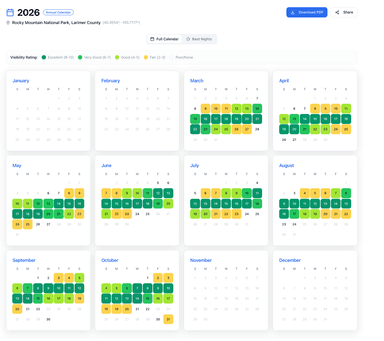
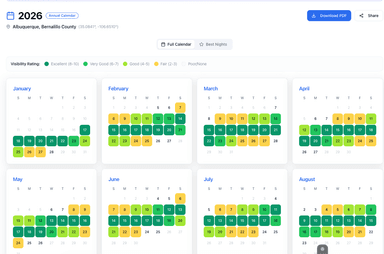
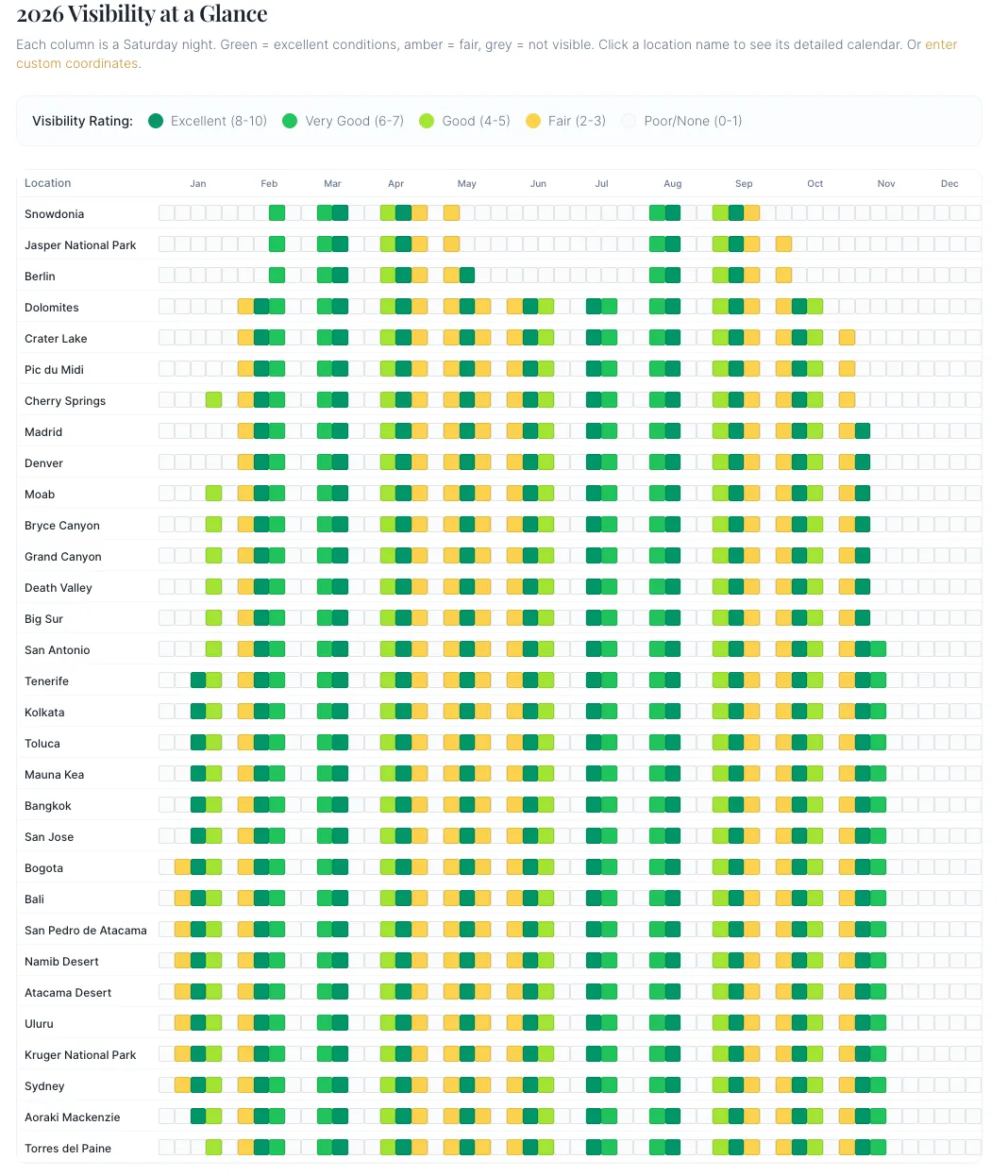
The annual Milky Way calendar now shows visibility at a glance for 31 locations worldwide: everything from Jasper National Park and Snowdonia to the Atacama Desert and Aoraki Mackenzie in New Zealand.
Each column is a Saturday night. The cells are color-coded by visibility rating:
- Green — Excellent conditions (rating 8-10)
- Amber — Fair conditions (rating 2-5)
- Grey — Not visible (rating 0-1)
You can scan the entire year for your favorite location in about five seconds. When's the best Saturday in June to shoot from Bryce Canyon? You can see it without clicking anything.
Click a location name and you get the full breakdown: galactic core timing, moon phase, darkness windows, the works. Or plug in your own coordinates if your spot isn't on the list.
I built this because it's how I actually plan my year. I look at the calendar, find the green weekends, and start thinking about where I want to be. "I should go shoot the Milky Way sometime" turns into "June 13th, Moab, conditions are excellent."
Interactive Maps for Astrophotography Planning
Maps are now built into the planning experience. You can explore locations visually, see where your shooting spots are relative to each other, and start thinking spatially about trips instead of just scrolling a list.
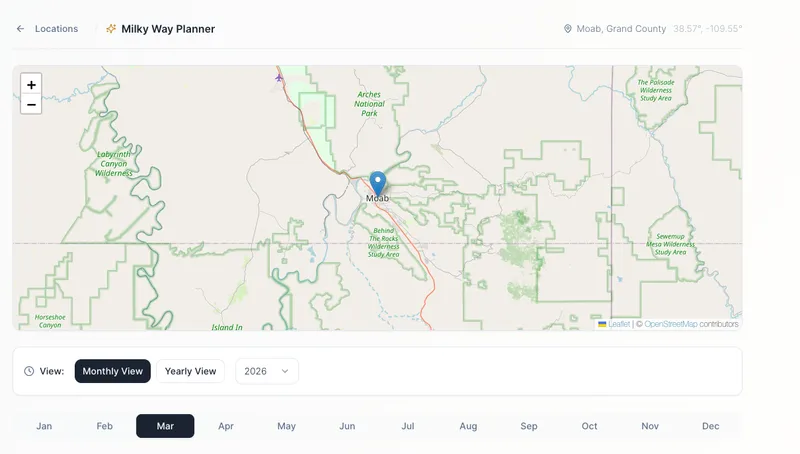
This is also the foundation for the next big thing I'm working on.
Coming Soon: Light Pollution Overlays and Dark Sky Parks
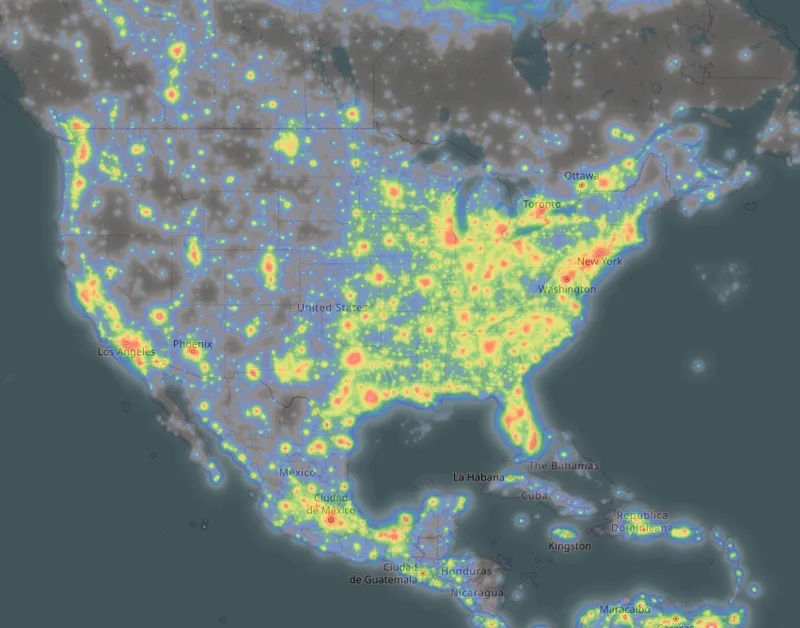
I'm adding light pollution map overlays directly into the planner. You'll be able to see Bortle-level sky darkness layered right on top of the map — so when you're scouting a location, you'll know exactly what kind of sky you're driving into without switching to a separate app.
On top of that, I'm adding certified International Dark Sky Park locations worldwide. There are over 200 of them across 22 countries, and they'll show up as markers on the map so you can find the best dark sky sites near wherever you're planning to shoot.
A Few More Things
The calendar export now shows you exactly how to import the ICS file into Google Calendar, Apple Calendar, or Outlook. Previously you had to figure that out yourself.
These changes came from my own frustrations with the tool. The light pollution overlays and dark sky parks are next. I'll have more on those soon.